
USB-C is everywhere. Laptops. Tablets. Video bars. Cameras. Conference tables. It’s become the universal port we’ve all been waiting for. One cable, one connector, endless possibilities.
But here’s the reality most people run into pretty quickly… Not all USB-C is created equal.
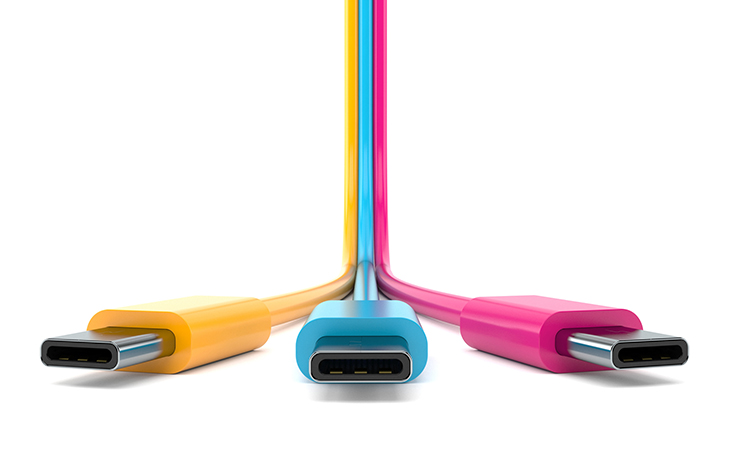
Same Connector. Very Different Capabilities.
At first glance, every USB-C cable looks the same. Same shape. Same plug. Same promise. What actually runs through that cable? That’s where things start to vary. Some USB-C connections handle only basic USB data, like a keyboard or mouse. Others support high-speed data for peripherals and storage. Some can carry video and audio. Others can deliver power.
And some can do all of it at once. That’s why one setup works perfectly, while another, using what looks like the exact same cable, doesn’t work at all.
It’s Not Just the Cable. It’s the Entire Chain.
Here’s where it gets even more nuanced. USB-C performance depends on three things working together:
- The host device (your laptop or compute)
- The connected device (camera, video bar, dock, etc.)
- The cable itself
If any one of those doesn’t support the same technology, the whole system falls short. No video. No power. No connection. Just confusion.
The Key Technologies That Actually Matter
To simplify it, there are a few core capabilities that define what a USB-C connection can really do:
- USB Data (USB 2.0, 3.x, etc.)
This is the baseline. It supports peripherals like keyboards, mice, and basic devices, all the way up to high-speed data transfer. - DisplayPort Alt Mode (DP Alt Mode)
This is what enables USB-C to carry video and audio. Think of it as turning your USB-C cable into an HDMI® connection without needing HDMI®. If your devices and cable support DP Alt Mode, you can run displays, video bars, and full AV experiences over USB-C. - Power Delivery (PD)
This is what allows USB-C to deliver power. Not just a little, but enough to charge a laptop while everything else is running.
When USB data, DP Alt Mode, and Power Delivery all come together, you get the ideal scenario:
One cable for power, video, audio, and data.
That’s what makes modern BYOM and meeting room experiences actually feel simple.
Why This Matters in Real Rooms
In a controlled environment, USB-C is powerful. In a real conference room? It has to be reliable.
Extending USB-C to a table, supporting different laptops, and ensuring consistent performance across users is where things often break down. That’s the gap between what USB-C promises and what deployments actually deliver.
Designed for Real-World AV
At SCT, we focus on making USB-C work the way people expect it to. Our USB-C solutions are built to:
- Support DP Alt Mode, USB data, and Power Delivery
- Extend signals reliably to the table
- Simplify installation with fewer cables and fewer failure points
- Deliver consistent performance across different devices and room types
Because in real-world deployments, “it should work” isn’t good enough. It has to work. Every time.
If you’d like to learn more about USB, please visit our video library here!
 English
  Deutsch
  Español
  Polski
  Français